Page 1 of 1
Table range not found for ID: ...
Posted: Thu Jul 21, 2011 5:50 am
by MiesterMan
Ok, so it's happening with more than one item.
I had just updated to latest the latest revision. The first one was the salamander card, which prompted me to delete my cache files and try again. Deleting them did not fix the problem so I added the card to my do not loot list and deleted it. Restarted the bot and let it run. As you can see it went for a while but the next card it looted did the same thing.
Item: Card - Miserable Maid of the Muses
Code: Select all
Fight finished. Killed 94 Miserable Maid of the Muses. (fight #711 / runtime 176 minutes)
Durability:99.97619047619
No nearby harvestables found.
Use MACRO: Looting target in distance 9.
Table range not found for ID: 101506
...VirtualStore/Micromacro/scripts/rom/classes/item.lua:205: attempt to perform arithmetic
 on global 'npcInfoAddress' (a nil value)


Please enter the script name to run.
Type in 'exit' (without quotes) to exit.
Script>
And the other...
Item: Card - Ousul Salamander
Code: Select all
Fight finished. Killed 3 Ousul Salamander. (fight #7 / runtime 3 minutes)
Durability:99.97619047619
No nearby harvestables found.
Use MACRO: Looting target in distance 67.
Table range not found for ID: 101515
...VirtualStore/Micromacro/scripts/rom/classes/item.lua:205: attempt to perform arithmetic
 on global 'npcInfoAddress' (a nil value)


Please enter the script name to run.
Type in 'exit' (without quotes) to exit.
Script>
I'll add more as I get em. (I thought there was another thread for this but I couldn't find it, sorry I must suck searching)
Re: Table range not found for ID: ...
Posted: Thu Jul 21, 2011 12:50 pm
by MiesterMan
Well, if anyone is getting it I got this temp fix but I think it might be breaking something to do this. You replace that line in item.lua with:
Code: Select all
			if npcInfoAddress then
				nameAddress = memoryReadInt( proc, npcInfoAddress + addresses.nameOffset );
			else
				cprintf(cli.lightred,"Failed to get Address for %s", tostring(tmp));
			end
Re: Table range not found for ID: ...
Posted: Thu Jul 21, 2011 9:39 pm
by rock5
MiesterMan wrote:Well, if anyone is getting it I got this temp fix but I think it might be breaking something to do this. You replace that line in item.lua with:
Code: Select all
			if npcInfoAddress then
				nameAddress = memoryReadInt( proc, npcInfoAddress + addresses.nameOffset );
			else
				cprintf(cli.lightred,"Failed to get Address for %s", tostring(tmp));
			end
Actually I was thinking of adding something like that permanently. If it's working then it shouldn't interfer but if it fails to get the address then at least it wont crash. I might have to add some code so it doesn't get named "<EMPTY>". Maybe I'll make it so it gets named "Card - " or "Recipe - ". Or maybe "Card - <EMPTY>" and "Recipe - <EMPTY>". That would be easy to implement.
I've been reluctant to do it up till now because it is a symptom of something not working and I'd rather fix it but this may be a recurring problem as things change in memory. So maybe it would be better not to have it crashing in the mean time.
Re: Table range not found for ID: ...
Posted: Thu Jul 21, 2011 11:24 pm
by rock5
If you are familiar with using cheat engine could you try following these instructions.
http://www.solarstrike.net/phpBB3/viewt ... =21&t=2730
Re: Table range not found for ID: ...
Posted: Thu Jul 21, 2011 11:27 pm
by MiesterMan
Sadly, I haven't looted any of the items that are causing the problem since the last one I added to the "do not loot" filter. So I don't know if the fix is working and I can't quite search for anything because of that. But I am familiar with cheat engine so I'll look over those instructions and give it a shot next time the oppurtunity arises.
Re: Table range not found for ID: ...
Posted: Thu Jul 21, 2011 11:36 pm
by rock5
If you want to help maybe you could temporarily remove them from the "do not loot filter. Actaully, now that you have your fix, you should be able to loot them safely. You will still get the "Table range not found" error but it wont crash.
Re: Table range not found for ID: ...
Posted: Thu Jul 21, 2011 11:45 pm
by MiesterMan
True, but I stopped botting for a bit to get my dailies in.

I'll make sure to remove them though, part of the reason it hadn't really looted anything is because my characters have been falling through the floor at an alarming rate lately (bot or not). I found my bot stuck in a hole in the ground after having only done 1 run

.
Also, something about that table of DB's in the link you posted above looks awfully familiar. I didn't realize those are the tables the messages in the bot were talking about. Cool.
Edit: I don't suppose you have a merge thread ability, to stick this one at the end of the other one?
Re: Table range not found for ID: ...
Posted: Thu Jul 21, 2011 11:58 pm
by rock5
MiesterMan wrote:Edit: I don't suppose you have a merge thread ability, to stick this one at the end of the other one?
You mean the one I just created? It's really not necessary. There have been numerous posts about "Table range not found" errors. Doesn't mean they should all be added. But to be accurate, my post isn't about an error but more about finding problems with the tables creation. Any posts there should be about those instructions and not about individual errors. Does that make sense?
Re: Table range not found for ID: ...
Posted: Fri Jul 22, 2011 12:02 am
by MiesterMan
rock5 wrote:MiesterMan wrote:Edit: I don't suppose you have a merge thread ability, to stick this one at the end of the other one?
You mean the one I just created? It's really not necessary. There have been numerous posts about "Table range not found" errors. Doesn't mean they should all be added. But to be accurate, my post isn't about an error but more about finding problems with the tables creation. Any posts there should be about those instructions and not about individual errors. Does that make sense?
Yes it does

. I'll keep it in mind, was already tempted to just start posting there.
Re: Table range not found for ID: ...
Posted: Fri Jul 22, 2011 9:48 pm
by MiesterMan
Ok, the fix is working but I'm a bit confused about this being an issue. It literally says the table not found for the id regular error message before it gives the modified one I put in.
I think it might just work right without the else part of the if statement.
Edit: Ok, I just changed it and tested it; removing the else part makes it look like the other table range not found error messages. One thing I noticed is that the table range not found error message (which is the same message other items get) appears later in the loadup of the bot. Whatever makes this the case could be why the bot crashes on these particular ranges.
I'll post another with the mem scan in a minute.
Re: Table range not found for ID: ...
Posted: Fri Jul 22, 2011 10:26 pm
by MiesterMan
Item ID is: 101506
Range it belongs to:
Code: Select all
	{StartId = 100001, EndId = 100852, Name = "NPCObjectDB", Ranges = {
		{Start = 100001, End = 100803, StartAddress = 0xFA86A60},
		{Start = 100805, End = 100805, StartAddress = 0xFA80600},
		{Start = 100804, End = 100804, StartAddress = 0xFA805E0},
		{Start = 100806, End = 100852, StartAddress = 0xFA805C0},
	}},
Memory Browse of region near end:
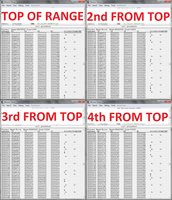
- Searched from 0xFA805C0.
Re: Table range not found for ID: ...
Posted: Sat Jul 23, 2011 4:48 am
by rock5
I suspect the address that continues the range is "0FACFFE0" which is about 15 records down. The threshold for the search is 10. Changing "threshold" at the top of the memorytable.lua file should fix it. Obviously lowering this number to 10 was a mistake. I might change it to a really big number to be sure, maybe 200 or 300.
Re: Table range not found for ID: ...
Posted: Sat Jul 23, 2011 7:37 am
by rock5
Committed a fix in rev 619. Try it.